
Financial Services and Insurance
Financial services lead tracking, first click and last
See the click that introduced them, then the one that got the quote request.
14-day free trial · No credit card · Set up in 5 minutes
-
Google Ads
"car accident lawyer"
First click -
Blog post
12 days later, via search
-
Contact form
Submitted on mobile
Last click
Sarah Mitchell
New lead in your CRM
- Channel
- Paid Search
- Campaign
- pi-brand-search
- Keyword
- car accident lawyer
- Landing page
- /personal-injury
The problem
Insurance and finance clicks are expensive, and the person who requests a quote today usually found you weeks ago through something else. Last-click reporting gives the credit to the return visit and hides the thing that introduced them.
How SourceTag helps
SourceTag records the first and last touch on every form submission, whether that's a mortgage enquiry, an insurance quote or a planning consultation, and passes it into your CRM through the form you already have.
What lands in your CRM
Every form submission is tagged as it is sent. Your team reads the source next to the name and the phone number.
Lead source
Channel, source, campaign and keyword. First click and last click on the same record.
Ad click IDs
gclid, fbclid, msclkid and ttclid. Match each lead back to the exact ad that created it.
Visit history
Visit count, days to conversion, device and landing page, so whoever picks up the lead knows the story before they call.
Examples for financial services and insurance
A mortgage enquiry that started with a Google search and converted via a retargeting ad
An insurance quote request from a Google Ads campaign targeting "business insurance"
An accounting client who came through a partner referral link
A financial planning consultation booked after clicking a LinkedIn ad
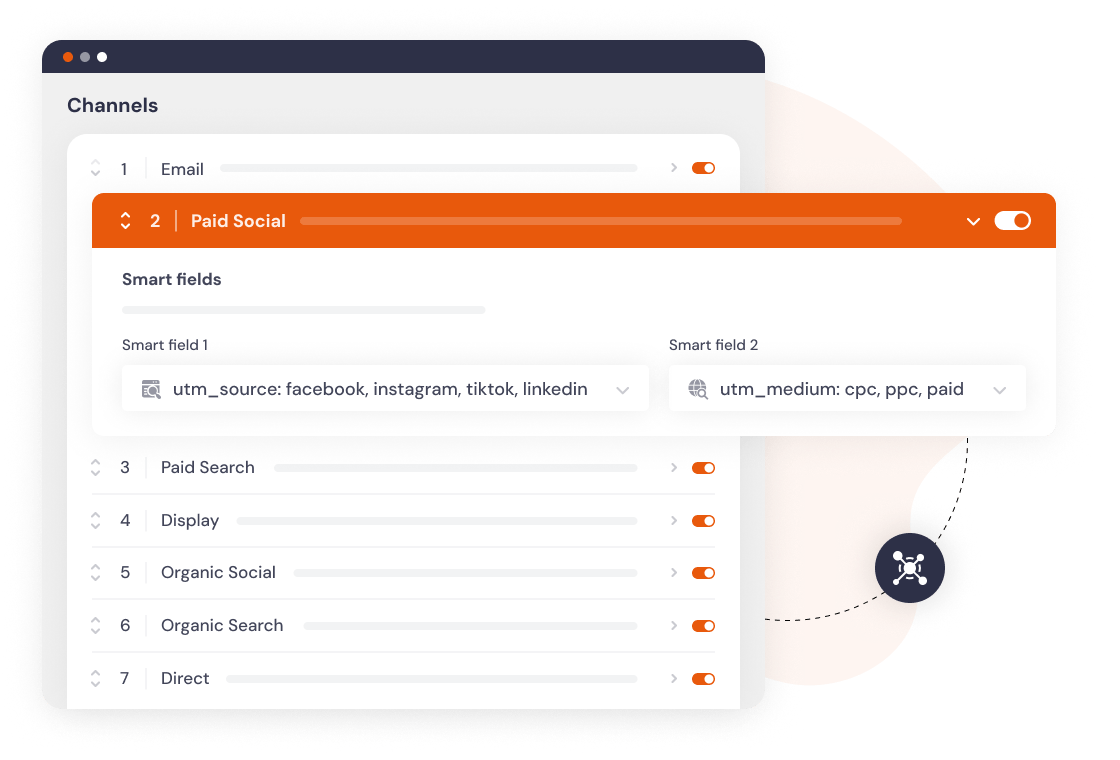
Channels set up by default
Every visit is sorted into a channel as it happens. If our channels don't match how you report, change the rules or add your own.
Set up in 5 minutes
Add the script
One line in your site header, or install the WordPress plugin.
Add hidden fields
Works with any form builder. Gravity Forms, HubSpot, Typeform and 60 more.
Every lead is tagged
Channel, campaign, keyword and landing page, wherever your forms already send data.
Frequently asked questions
No. We count form submissions. The source data sits in a cookie on your own domain and is submitted with your form, so it reaches your CRM and not us.
Yes. The gclid and msclkid are captured on the submission, so you can upload closed clients back into Google Ads and Microsoft Ads as offline conversions.
Yes. Subdomains under the same domain share the cookie and count as one site, so quotes.yourfirm.com is covered by the same plan.