
Stop guessing where your leads come from.
SourceTag writes the channel, campaign, keyword and click ID into the forms you already have. The lead turns up in your CRM with its source attached.
14-day free trial · No credit card · Set up in 5 minutes · From $39/mo
-
Google Ads
"car accident lawyer"
First click -
Blog post
12 days later, via search
-
Contact form
Submitted on mobile
Last click
Sarah Mitchell
New lead in your CRM
- Channel
- Paid Search
- Campaign
- pi-brand-search
- Keyword
- car accident lawyer
- Landing page
- /personal-injury
Do you know which ad brought in your last lead?
A lead comes in through your contact form. You get a name, an email, maybe a phone number. What you don't get is the Google Ads campaign that brought them, the keyword they searched, or the LinkedIn post they clicked three weeks earlier. So you look at Google Analytics, see a spike in traffic, and guess. SourceTag puts that answer on the lead itself.
You install it once and it tags every lead from then on.
Add one script to your site
Paste one line in your site header, or use the WordPress plugin or Cloudflare Worker. Five minutes.
Add hidden fields to your forms
SourceTag fills them in when someone submits. Gravity Forms, HubSpot, Typeform, WPForms, Webflow and 60 more.
Read the source in your CRM
Channel, campaign, keyword, landing page and click ID arrive with every lead, wherever your forms already send data.
Works with 60+ form builders and CRMs


















Popular guides: WordPress · WPForms · Contact Form 7 · Jotform · Pipedrive · ActiveCampaign
Two touchpoints
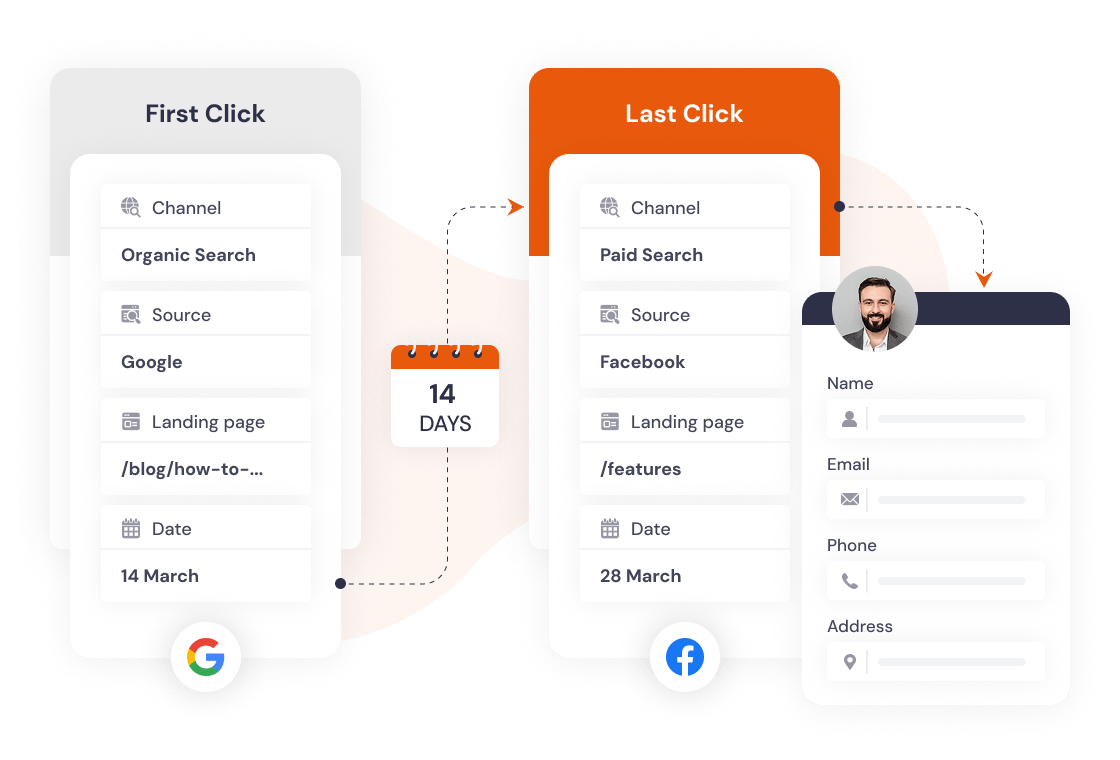
First click and last click, on the same lead.
Someone reads a blog post of yours, comes back two weeks later from a Google ad, and fills in the form. Most tools give the credit to one visit or the other. SourceTag records both on the same submission, so you can see what gets people in the door and what closes them.
Your rules
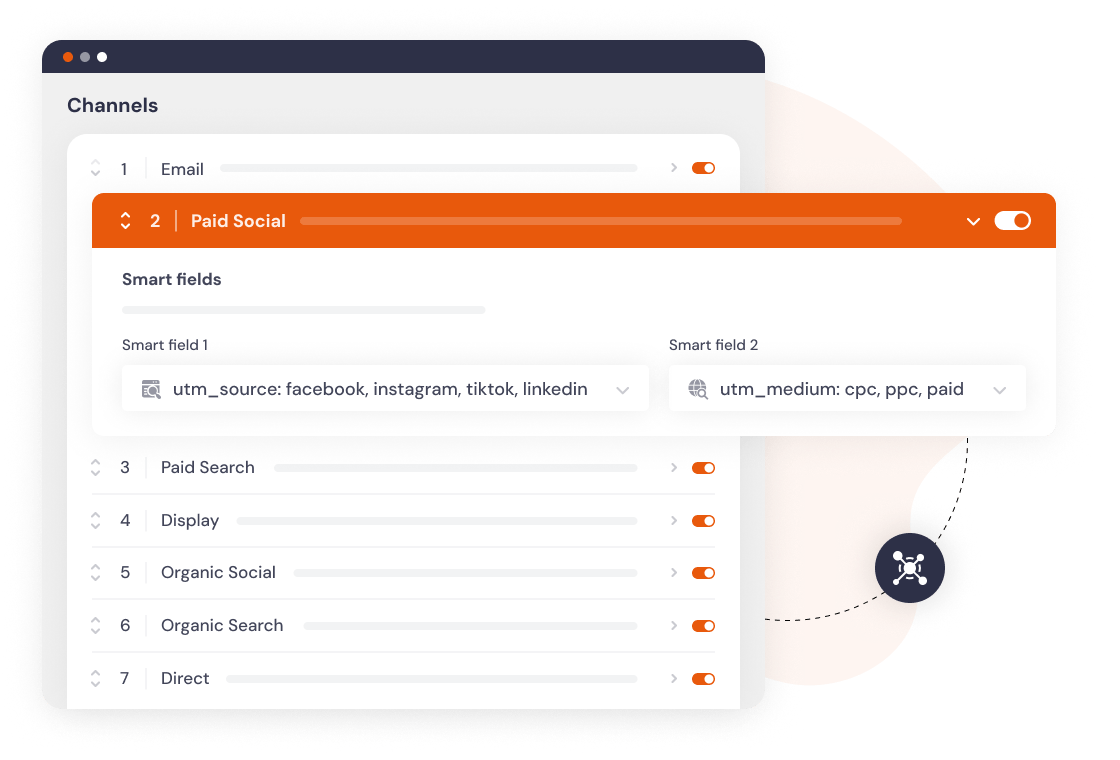
Channels that match the way you already report.
Paid Search, Paid Social, Organic Search, Email, Referral, Direct and five more are set up by default. You can edit the matching rules, rename channels to match how a client reports, or add your own. Click IDs from Google, Meta, Microsoft and TikTok are captured automatically.
What lands in the CRM
Lead source summary
Channel, source, campaign, keyword and landing page, written as readable values rather than raw UTM strings.
Paid ad tracking
gclid, fbclid, msclkid and ttclid on every lead, so you can match it to the exact ad and upload closed deals as offline conversions.
Visit history
Visits before converting, days from first visit, device and the page the form was on.
60+
form builders and platforms
80+
search engines recognised
70+
social networks identified
400-day
cookies with the WordPress plugin or Cloudflare Worker
Pricing
Every feature on every plan. From $39 a month, in USD.
Agencies and multi-brand businesses: see multi-site plans