
Real Estate
Real estate lead tracking for buyer and vendor enquiries
See whether it was a portal, an ad, or your own site that brought the enquiry.
14-day free trial · No credit card · Set up in 5 minutes
-
Google Ads
"car accident lawyer"
First click -
Blog post
12 days later, via search
-
Contact form
Submitted on mobile
Last click
Sarah Mitchell
New lead in your CRM
- Channel
- Paid Search
- Campaign
- pi-brand-search
- Keyword
- car accident lawyer
- Landing page
- /personal-injury
The problem
Portal enquiries come with a source. Website enquiries don't, which is a problem when you're also paying for Google Ads and social and can't tell which of them produced the appraisal request.
How SourceTag helps
SourceTag records the source of every website enquiry, whether that was a Google ad, a search or a social post, and sends it into your CRM with the lead.
What lands in your CRM
Every form submission is tagged as it is sent. Your team reads the source next to the name and the phone number.
Lead source
Channel, source, campaign and keyword. First click and last click on the same record.
Ad click IDs
gclid, fbclid, msclkid and ttclid. Match each lead back to the exact ad that created it.
Visit history
Visit count, days to conversion, device and landing page, so whoever picks up the lead knows the story before they call.
Examples for real estate
A buyer enquiry from a Google Ads campaign targeting suburb-specific keywords
A vendor appraisal request from an organic search landing on your suburb page
A referral from a mortgage broker's website
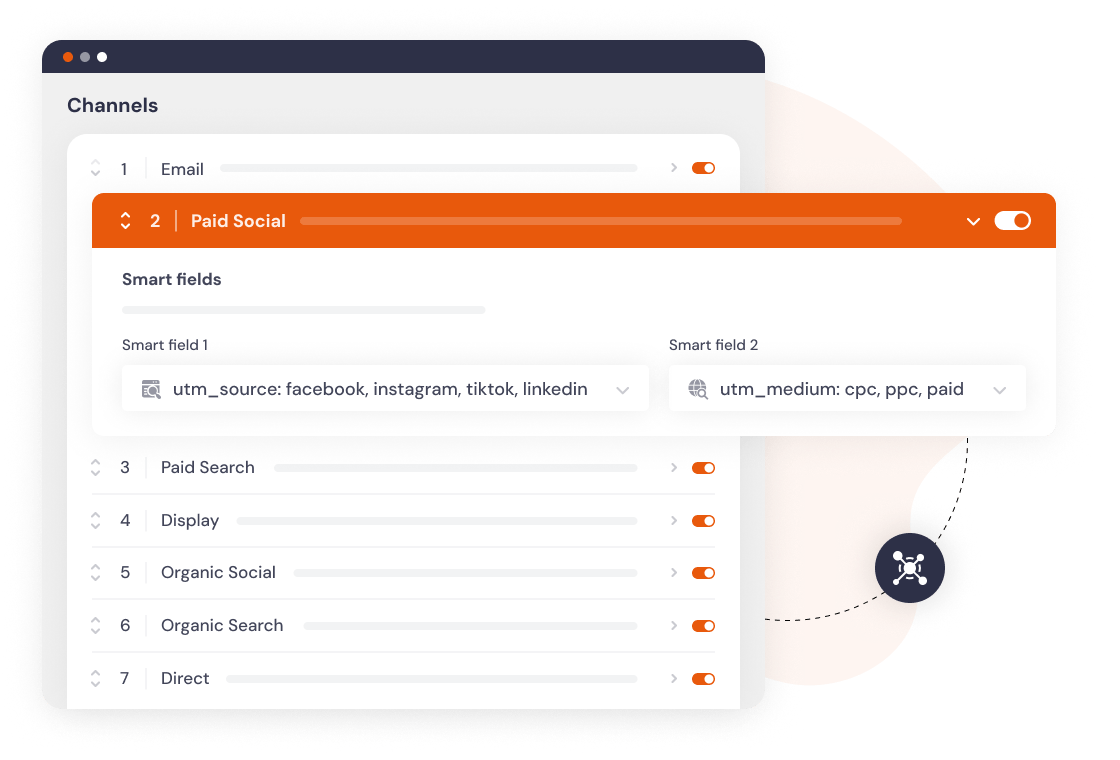
Channels set up by default
Every visit is sorted into a channel as it happens. If our channels don't match how you report, change the rules or add your own.
Set up in 5 minutes
Add the script
One line in your site header, or install the WordPress plugin.
Add hidden fields
Works with any form builder. Gravity Forms, HubSpot, Typeform and 60 more.
Every lead is tagged
Channel, campaign, keyword and landing page, wherever your forms already send data.
Frequently asked questions
Yes. An enquiry that arrives from a property portal is recorded as a referral with the portal as the source. Enquiries from your own marketing carry their own channel and campaign.
Yes. The landing page is stored on every enquiry, so you can see which suburb page turned into an appraisal request and which one only brought traffic.
One script covers every form on the domain. Any number of agent forms, one site, one plan.