
Healthcare and Dental
Healthcare lead tracking for clinics and dental practices
Every booking lands with the ad, search, or referral that drove it attached.
14-day free trial · No credit card · Set up in 5 minutes
-
Google Ads
"car accident lawyer"
First click -
Blog post
12 days later, via search
-
Contact form
Submitted on mobile
Last click
Sarah Mitchell
New lead in your CRM
- Channel
- Paid Search
- Campaign
- pi-brand-search
- Keyword
- car accident lawyer
- Landing page
- /personal-injury
The problem
A practice might run separate campaigns for implants, whitening and check-ups. When a patient books online, nothing connects that booking to the campaign or keyword that produced it, so the budget gets split on instinct.
How SourceTag helps
SourceTag puts the source on every booking and enquiry form, so you can see which campaigns produce bookings, which service pages convert and whether the SEO spend is doing anything.
What lands in your CRM
Every form submission is tagged as it is sent. Your team reads the source next to the name and the phone number.
Lead source
Channel, source, campaign and keyword. First click and last click on the same record.
Ad click IDs
gclid, fbclid, msclkid and ttclid. Match each lead back to the exact ad that created it.
Visit history
Visit count, days to conversion, device and landing page, so whoever picks up the lead knows the story before they call.
Examples for healthcare and dental
A new patient booking from a Google Ads campaign targeting "dentist near me"
A consultation request from an organic search for a specific treatment
A booking from a Facebook ad promoting a seasonal offer
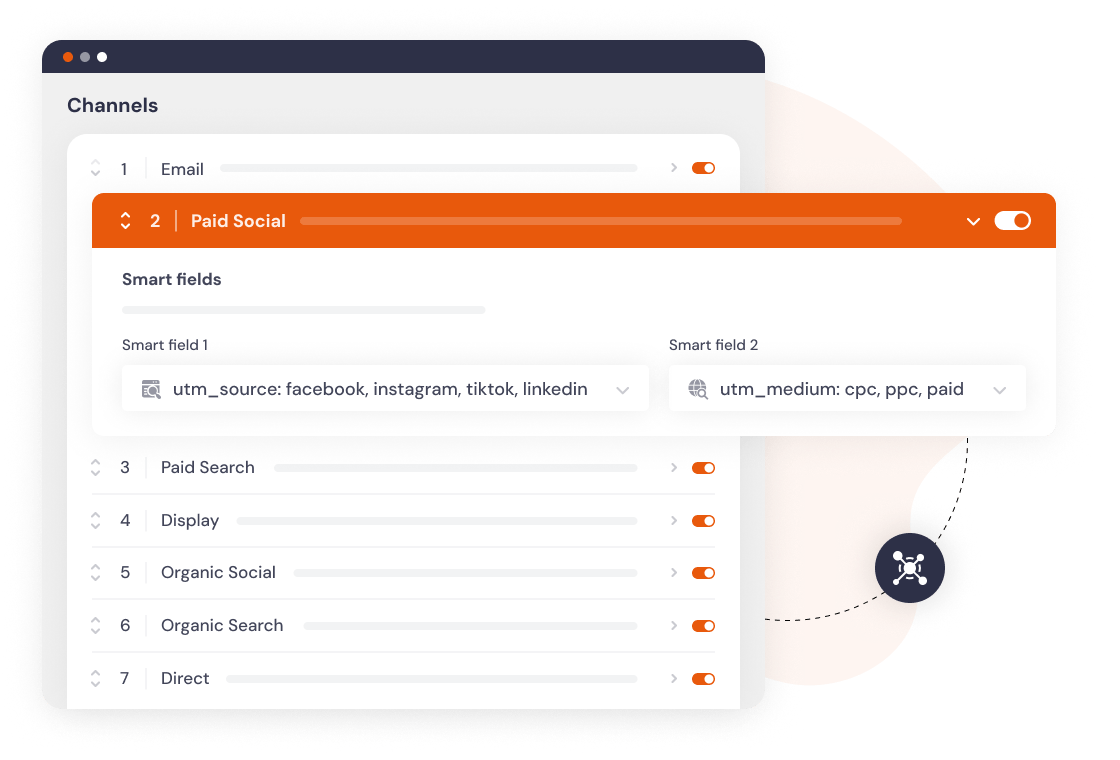
Channels set up by default
Every visit is sorted into a channel as it happens. If our channels don't match how you report, change the rules or add your own.
Set up in 5 minutes
Add the script
One line in your site header, or install the WordPress plugin.
Add hidden fields
Works with any form builder. Gravity Forms, HubSpot, Typeform and 60 more.
Every lead is tagged
Channel, campaign, keyword and landing page, wherever your forms already send data.
Frequently asked questions
Yes, if the booking form sits on your own site and supports hidden fields. For booking widgets that load in an iframe, read the data with the JavaScript API and pass it into the booking.
No. We count submissions and nothing else. The attribution sits in a cookie on your domain and goes into your form, so patient data never reaches our servers.
Yes. The landing page and the page the form was on are both captured, so you can compare implants against whitening against general check-ups.